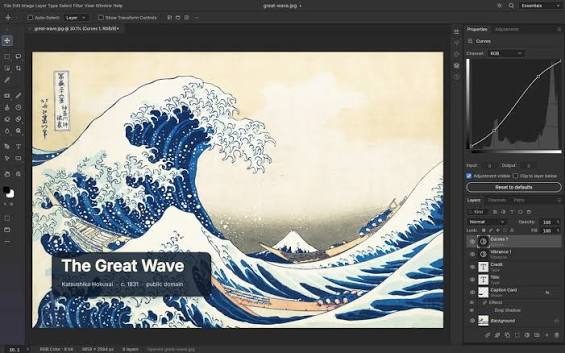

Creative software can be expensive, especially for students, freelancers, and content creators who need several different tools. ArtCraft offers a different approach by bringing together 13 free and open source creative applications in one collection.
The platform covers a wide range of creative work, including photo editing, graphic design, video editing, motion graphics, audio, documents, and more. It gives users a way to explore creative software without paying for monthly subscriptions.
For people looking for alternatives to Adobe and other paid creative applications, ArtCraft could be a useful place to start.
What Is ArtCraft?
ArtCraft is a collection of free and open source creative applications. Instead of focusing on one type of creative work, the platform brings different tools together in one place.
The collection includes tools for image editing, graphic design, video production, motion graphics, audio editing, documents, and other creative tasks.
This makes ArtCraft useful for creators who want to discover new software without spending money on multiple subscriptions.
What Can You Find on ArtCraft?
ArtCraft features 13 creative applications that cover different parts of the creative process.
Some tools can serve as alternatives to popular applications such as Photoshop, Illustrator, Premiere Pro, and After Effects. Users can explore different options based on the type of project they want to create.
For example, graphic designers may find tools for creating visual content. Video creators can explore software for editing and producing videos. Other applications can support audio production, documents, and motion graphics.
The collection gives creators more choices when building their creative toolkit.
Why Are Free Creative Tools Important?
Paid creative software can become expensive over time. Monthly subscriptions can also create a barrier for students and beginners who are still learning.
Free and open source software can help reduce this cost.
Creators can test different applications before deciding whether they need paid software. Students can also use these tools to practice their skills without making a large investment.
Open source projects can also give developers and communities opportunities to improve the software over time.
What Is the Catch?
ArtCraft is not a perfect replacement for professional creative software.
Many of the applications in the collection are still in early development. Users may encounter bugs, missing features, or limitations compared with established commercial products.
The tools are also not official Adobe products. Users should not expect every application to offer the same features or workflow as professional Adobe software.
Still, ArtCraft can provide useful options for creators who want to experiment with free creative tools.
Where Can You Explore ArtCraft?
You can explore the ArtCraft collection at getartcraft.com and discover all 13 applications.
Whether you are a student, designer, video editor, or content creator, the collection could help you find new tools for your next project.
If you want more updates about AI, creative technology, and useful digital tools, follow @aicuratehub on Instagram and visit aicuratehub.com for more technology news, tool recommendations, and creative resources.